The source subtitle file should be as rich as possible. This includes all formatting like color, position, special character and more
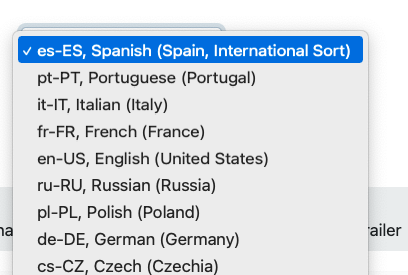
Each subtitle has a corresponding language and culture code. The default culture codes is set in the Customer/Brands menu (this needs access to this area)
Source files:
DFXP, Distribution Format Exchange Profile
srt, SubRip, saved as UTF-8
Mezzanine files:
srt, SubRip, saved as UTF-8
scc, Scenarist Closed Captions, to be used for muxing into video files
To edit a subtitle we recommend the free app https://nikse.dk/SubtitleEdit/
When a subtitle is checked in select the corresponding language and culture code.
| Source file | The studio master that has not been confirmed to be used as source. The Source file might need resync or exported to another subtitle format | |
| Mezzanine(Mezz) | Files that are confirmed and ready to be used for the export |
If the task/info/duration does not match with the last subtitle timecode (default is 5 min diff, can be configured in brands/option) a warning will be shown.
If the SRT file is not formatted in UTF-8 the file will not be accepted.