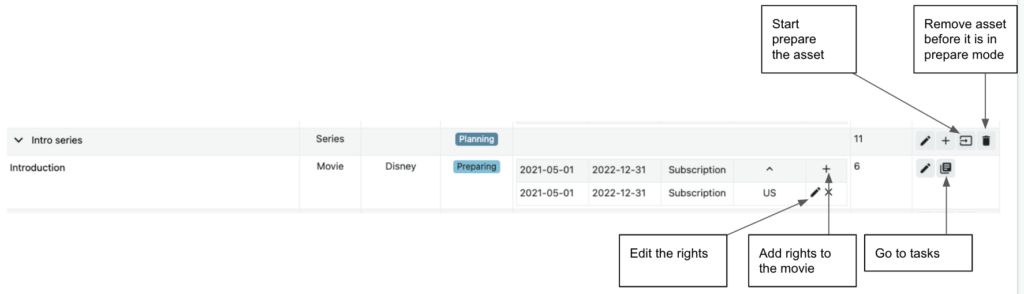
The licenses is set in the by creating a new asset. This can be edit in the rights view.
Before the tasks can be added you need to press the “start asset preparation” (the square with arrow). This sets the original name of the asset that can not be changed.
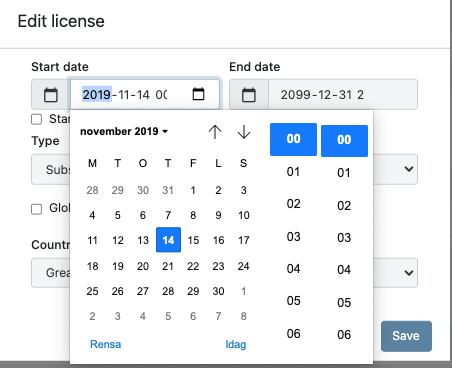
A start date can be any date from the past to the future.
A end date can be any date in the future or set to TBA.

The asset can be removed if: Asset is a movie and it has been unpublished or the publish has not started
Asset is a serie or season and the corresponding episodes have been unpublished.
When an asset has been created with a start date in the future and the asset has been delivered, do not change the start date to a new start date in the future. This requires unpublishing first by setting a new end date, and when the asset is unpublished new licenses can be created for the new start date.
To set a specific time in rights enable first “show license time” in options. The time is set in CET = GMT
Default time is 00:00 CET
Test Comment to “Rights”